


How to Drive More Revenue with Upselling on Shopify in 2025
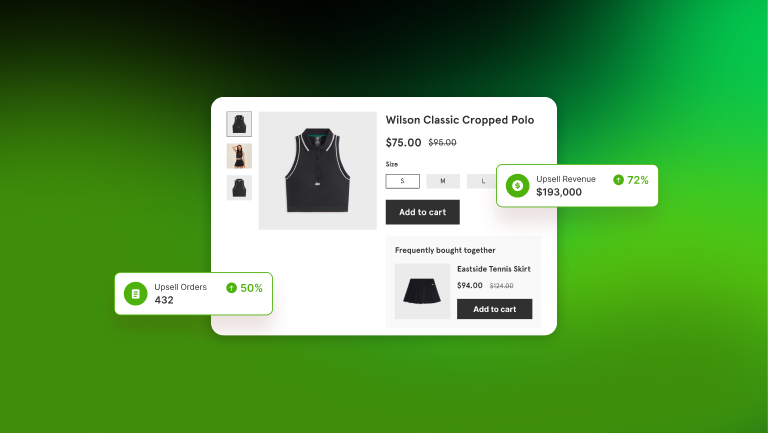
Table of content
Upselling used to be a simple add-on tactic that merchants placed near checkout to increase the order total. But in 2025, as acquisition costs rise and shoppers become more selective, upselling has become a core revenue strategy. A well-executed upsell flow can lift AOV without harming trust, while a poorly timed or irrelevant suggestion can interrupt the experience and push customers away.
Over the past year, I have tested different upsell placements, matching rules, and design variations across dozens of Shopify stores in fashion, lifestyle, home goods, and accessories. These hands-on experiments repeatedly showed that small adjustments in timing and relevance can shift upsell acceptance rates by 10-25%. The checklist below is based on those real results, offering a practical and experience-backed guide to help you implement upsells that feel natural, increase value, and strengthen the entire customer journey.
1. Choose the Right Moment to Upsell
When it comes to upselling, timing can make or break everything. A well-timed offer feels helpful – like a friendly nudge that adds value to the purchase. But if you pop up with a suggestion at the wrong moment, especially during checkout, it can come across as annoying, disruptive, or even push customers away altogether.
The truth is, many stores still make the mistake of only showing upsell offers at the final step of checkout. By then, most shoppers are done exploring. They’re focused on completing their purchase, not reconsidering it. In fact, a study by Baymard Institute found that 18% of online shoppers abandon their carts due to a “too long or complicated checkout process.” Adding last-minute upsells into that flow only increases friction.

Instead of interrupting the finish line, think about offering upsells earlier – in places where they feel natural and actually enhance the shopping experience. Here are some of the best-performing moments to introduce an upsell:
- On the product page: This is where the buying decision begins. It’s a great spot to show relevant add-ons or bundled suggestions – like a protective sleeve for a laptop, or matching accessories for a dress. Shoppers are still in browsing mode and more open to being inspired.
- Right after adding to cart: This is one of the most underused yet high-converting opportunities. When someone adds an item to their cart, they’ve already taken a strong step toward buying. Their attention is still high, and they’re often open to recommendations. According to internal Shopify data, personalized upsell popups at this stage can boost AOV by 15-20%.
- On the thank-you page: Just because the customer has checked out doesn’t mean they’re done shopping. Post-purchase upsells – especially with time-limited incentives (“Add this item within 15 minutes for 10% off”) – can convert surprisingly well. Since the customer is already in a positive mindset, it feels like a reward, not a push.
- In post-purchase emails: These are often overlooked but incredibly powerful. Within a day or two of completing an order, you can follow up with an email suggesting products that pair well with what they just bought. If done right, these emails can see open rates above average and conversion rates as high as 12%.
In my testing, add-to-cart popups consistently performed the best. On one Shopify accessories store, shifting upsells to this moment doubled acceptance rates from 4% to 8% within 10 days, even though the products offered stayed the same.
Quick Checklist
- Show upsells at natural points: product pages, after add-to-cart, thank-you pages, and post-purchase emails
- Avoid interrupting checkout with offers
- Target moments when the shopper is emotionally engaged and more likely to say “yes”
2. Only Recommend Relevant Products
No one likes being sold to – especially if it feels random. The best upsells don’t just push another product; they make the original purchase better. A well-chosen upsell helps customers get more value, convenience, or enjoyment out of the item they’re already buying. A poor one? It just creates hesitation.
Think about it: if someone adds a laptop to their cart and you suggest a protective sleeve or wireless mouse, that feels helpful. It’s like you’re anticipating what they’ll need next. But if you recommend another laptop – even a better one – it disrupts their flow. They start second-guessing, comparing, and possibly… leaving. In upselling, relevance isn’t optional – it’s the foundation.
And it’s not just about logic – it’s about trust. When your upsell suggestions make sense, customers feel like your store “gets” them. When they don’t, it feels like you’re just pushing extra products for the sake of it. That’s when upsell becomes noise instead of value.
So how do you make sure your upsell offers are truly relevant? Here are three principles to guide you:
(1) Complement > Compete
Your upsell should support, complete, or enhance the original item – not replace it or make the customer question their choice. Think chargers for cameras, belts for trousers, toner for skincare.
These feel natural because they fit the customer’s existing intention – not shift them into decision-making mode again.
(2) Avoid “almost the same” products
Suggesting items that are too similar to what the customer just picked (like a different style of the same dress, or a similar coffee machine) introduces friction. Instead of encouraging action, it introduces doubt.
The result? Decision paralysis – or worse, cart abandonment.
(3) Use AI or tagging logic to make it scalable
If you run a large catalog, relevance at scale is nearly impossible to manage manually.
This is where tools like Zotasell’s AI Recommendation Engine shine. They analyze:
- Product relationships
- Browsing and cart behavior
- Purchase history
- Visual similarity
With the right tags, collections, or AI rules in place, you can automate relevant upsell flows that still feel personal.
Real-world Example:
Let’s say a customer adds a pair of running shoes to their cart.
A good upsell would be:
- High-performance running socks
- A moisture-wicking shirt
- A reflective night vest
A poor upsell would be:
- Another pair of running shoes in a different color
- Hiking boots
- An unrelated yoga mat
Even if all those products are technically “in the same category,” they aren’t necessarily relevant in that moment.
Quick Checklist
- Recommend complementary, add-on, or mild upgrade products
- Avoid suggesting products that are similar or easily confused with the original item
- Use product tags, collections, or AI to ensure smart, contextual relevance
In several stores I worked with, replacing “similar items” with “complementary items” reduced friction dramatically. One store selling kitchenware saw a 38% drop in product comparison clicks after removing competing upsells and focusing only on true add-ons.
3. Keep the Design Clean and Non-Intrusive
Even the most relevant upsell can fail if it’s poorly presented. Shoppers today are highly sensitive to anything that feels disruptive or off-brand. A pop-up that suddenly takes over the entire screen, clashes with your store’s design, or – worse – refuses to close easily can instantly ruin the customer experience and drive visitors away.
That’s why good upsell design starts with subtlety and respect for the shopper’s journey. Instead of forcing attention, the upsell should feel like a helpful, optional suggestion – not a demand. It should appear at the right time, in the right place, and blend seamlessly with the overall look and feel of your store.
Consistency is key. Your upsell elements – whether it’s a product block on the cart page, a slide-in panel, or a small popup – should match your brand’s color palette, typography, and tone. A clean, visually integrated design not only looks more professional but also builds trust. It shows customers that you’ve thought carefully about their experience from start to finish.
And don’t forget usability. Make sure your upsell elements are mobile-friendly, load fast, and can be easily closed if the customer isn’t interested. When shoppers feel in control, they’re far more likely to stay engaged – and possibly accept the offer on their own terms.
In short, design isn’t just about looking good. It’s about showing respect for the customer’s flow and making the upsell feel like a value-added bonus, not a sales interruption.
Quick Checklist
- Use compact, unobtrusive formats that support – not interrupt – the shopping journey
- Ensure styling is visually consistent with your brand (colors, fonts, spacing, layout)
- Prioritize a smooth user experience across both desktop and mobile
- Allow customers to easily close or dismiss the upsell without frustration
4. Offer Smart Incentives – Not Deep Discounts
It’s easy to confuse upselling with discounting – and many merchants do. But the real goal of upselling isn’t to slash prices or run flash deals. It’s to increase average order value (AOV) in a sustainable way that supports your margins and enhances the customer’s experience.
That doesn’t mean you should never offer deals. Smart incentives work incredibly well – as long as they add perceived value without training customers to expect discounts every time. Instead of jumping straight to price cuts, consider offering benefits that feel rewarding and relevant. For example:
- Bundle savings: Suggesting a curated combo of products at a slight savings (e.g., “Buy together and save 10%”) feels purposeful and intentional.
- Free shipping thresholds: Encouraging customers to spend just a little more to unlock free shipping is a classic, proven motivator.
- Gifts with purchase: Even a small bonus item can tip the scales when it feels exclusive or thoughtful.
These incentives work not because they reduce price, but because they increase perceived value. Customers walk away feeling like they got more – not just paid less.
It’s also important to pay attention to the tone of your upsell messaging. Avoid language that sounds pushy or manipulative. Instead, use soft prompts like:
- “Complete your set”
- “Others also bought…”
- “Frequently paired with this item”
These phrases position the upsell as a helpful suggestion rather than a sales tactic. They reduce resistance and invite curiosity, which often leads to higher engagement.
What you should avoid is the overuse of aggressive discounts, especially storewide ones that appear too often. Not only does this erode brand value over time, but it can also lead customers to delay purchases while waiting for the next deal – hurting both your conversion rates and your profit margins.
In short, upselling shouldn’t feel like a bargain bin. It should feel like a smart way to get more out of the shopping experience. When you offer the right incentive – framed in the right way – customers are more likely to say “yes” not because they’re being sold to, but because the value makes sense.
5. Track Performance and Analyze Results
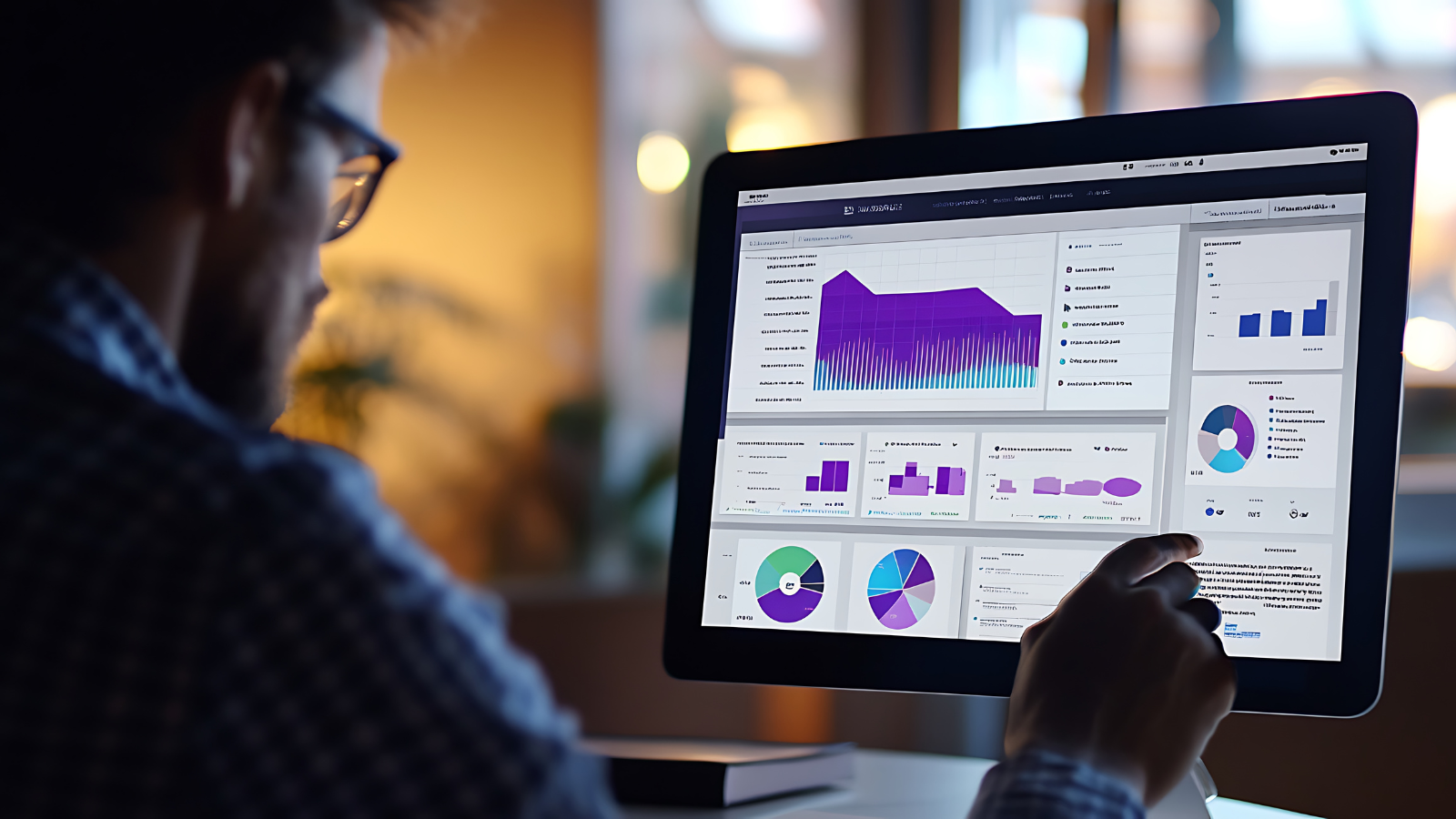
You can’t improve what you don’t measure. One of the biggest mistakes in upselling is setting up offers and assuming they work – without checking the data. Sure, your overall sales might look good, but are your upsells really pulling their weight?
It’s important to isolate upsell performance from the rest of your store. That means going beyond revenue and digging into how each offer performs. Is your average order value actually increasing when an upsell is shown? Are customers clicking, engaging, and buying more – or just ignoring it?
Start simple: look at where your upsell blocks appear (product page, cart, thank you page), which products trigger them, and how often shoppers accept the offer. Once you have that baseline, you can start testing small changes – a better image, a new headline, or even just a different placement.
Quick Checklist
- Track AOV uplift from upsells
- Measure offer acceptance rate (how many people accept?)
- Review bundle revenue and combo performance
- Break down results by original product and touchpoint
- Use real-time dashboards to test and adjust regularly
Upsell isn’t “set it and forget it.” The stores that grow fastest are the ones that treat it like a living system – always learning, testing, and fine-tuning to match how real people shop.
6. Structure Your Product Catalog Properly
Think of upselling like matchmaking – it only works if the system knows which products pair well together. Whether you’re using AI to automate suggestions or setting up offers manually, a messy catalog is the fastest way to break the logic.

If your products aren’t clearly tagged, grouped into collections, or named consistently, the upsell engine won’t know what goes with what. You might end up showing shampoo next to sneakers – or worse, nothing at all.
A clean catalog also helps customers feel more confident. High-quality images, clear product names, and consistent formatting make upsells look like helpful recommendations – not random guesses. The better your structure, the more intuitive your upsells will feel.
Quick Checklist
- Have at least 10-15 active products in your store
- Organize products into collections with clear, consistent tags
- Use high-resolution images with similar backgrounds (white or lifestyle)
- Make sure product names and descriptions follow a consistent format
- Double-check image sizing for proper display in popups or sliders
A bit of catalog housekeeping goes a long way – not just for upselling, but for your entire shopping experience. I’ve seen upsell engines fail simply because products lacked consistent tags. After cleaning and standardizing tags for a home-decor merchant, relevant upsell matches improved from 42% to 86%, instantly improving conversions.
7. Make Sure Your Theme Supports Upsell Widgets
Even the most strategic upsell plan will fall flat if your storefront isn’t technically prepared. A frequent – and often overlooked – reason upsell campaigns underperform is simply this: the theme doesn’t support proper widget placement or display.
Many Shopify themes, especially older or heavily customized ones, may block or restrict widget rendering on key pages like the product page, cart drawer, or post-purchase screen. If your upsell offers fail to appear – or appear too late, in the wrong place, or styled inconsistently – your conversion potential takes a hit.

On top of that, excessive custom code or third-party scripts can interfere with upsell blocks, especially if they conflict with JavaScript or theme layout settings. These silent blockers can cost you sales without triggering any visible errors.
Speed is another key factor. Customers won’t wait around for slow-loading offers. Research shows that every extra second of page load time can reduce conversions by up to 7% – and upsell widgets are no exception.
Quick Checklist
- Your theme allows widget placement on: product page, cart page/drawer, add-to-cart popup, thank you page
- No custom code interfering with upsell blocks or delays in rendering
- Page load time is 3 seconds or less (test using PageSpeed or Pingdom)
- Widgets load correctly and responsively on both desktop and mobile
Before optimizing the content of your upsell offers, make sure your store’s infrastructure can support them. The right message, shown at the right time, in the right place – that’s what makes upselling truly effective.
8. Let AI Do the Heavy Lifting
As your product catalog grows, manually assigning upsell rules becomes inefficient – and nearly impossible to scale. AI-powered upsell systems help eliminate guesswork by automatically recommending the right products, at the right time, to the right customer.

Instead of setting up individual rules for each product, AI can evaluate customer behavior (like browsing patterns, purchase history, and even visual similarity between products) to suggest combinations that are both logical and high-converting.
You also save time on design tweaks. A good upsell engine can auto-adjust layouts, colors, and widget positions to match your store’s branding – without needing a developer.
Quick Checklist
- Use AI to analyze behavior and auto-generate relevant upsell suggestions
- Let the platform optimize design elements (layout, font, color) for better performance
- Avoid relying solely on manual logic for large catalogs – it limits scalability
- Keep manual setup for priority offers or promotional campaigns only
- Monitor and refine AI suggestions over time – automation works best with feedback
When used correctly, AI doesn’t replace your strategy – it amplifies it. Focus on big-picture goals, and let automation handle the repetitive, data-heavy decisions.
Afterthought
Upselling works best when it feels like a natural extension of the customer journey. When an offer is relevant and well-timed, it doesn’t feel like a sales push but rather thoughtful support that helps shoppers get more value from what they already intend to buy. In my work with Shopify merchants, the most successful upsell flows were always those grounded in understanding customer intent rather than adding pressure.
With a clear checklist and the right systems for automation and testing, upselling becomes more than a tactic. It becomes a way to build trust, enhance satisfaction, and unlock more value from your existing traffic. Sustainable growth in 2025 will depend less on attracting more visitors and more on increasing the value of each interaction. That is where effective upselling has the strongest impact.

Join in our newsletter
Need more detail?
Access our Help Center & Resources to learn how Zotasell works, explore use cases, and share with your team.